Take on more.
Put AI workers on separate tasks while you focus on yours. See who is working, what needs your attention, and what is ready to review.
A small office, on your computer ↗A living workspace for independent builders
Vikix is the solopreneur’s workshop.
Vikix brings your projects, tools and AI workers into one living workspace. Take on bigger ideas, learn from the machine you use, and grow more capable with every project.
Free & open source · A Linux desktop · Built by one person, shared with you

Why bother switching?
Writing code is only part of building something. There’s research, testing, documentation, decisions—and remembering where you left off. Vikix gives that work a home.
Put AI workers on separate tasks while you focus on yours. See who is working, what needs your attention, and what is ready to review.
A small office, on your computer ↗Ask what something is, why it happened and where its behaviour comes from. Follow the answer into the guides, settings and code.
A desktop you can inspect ↗Try changes on the running desktop. Keep what works, inspect what changed and restore saved settings when you need a way back.
Tools you can grow into ↗From an idea to work you can review
The Office brings AI work into view: tasks, progress, questions, changes and checks. Each piece of development work gets a separate copy of the project. You decide what is good enough to bring back.
Your next project: a reading app
A worker develops the feature in its own project copy.
A second worker researches options for you to review.
An example of the process, not a live task board. Read how the Office works ↗
Agent agnostic. You are in control.
Choose the agent, choose the model, choose where it runs. Vikix brings the workspace together without tying you to one AI company.
Use local models with a compatible agent. Keep model inference on your own hardware, including when you want to work offline. Choose models that fit your machine and the work.
Work with Claude Code, OpenAI’s Codex using your ChatGPT account, or another supported agent. Choose the service that suits the task and your budget.
Connect AI tools to a model you host on your own server or private cloud through a compatible API endpoint. Keep control of the hosting and access.
You decide which tools to use, what access to grant and where your requests go. Agent and model capabilities vary; private hosting needs your own setup. Explore the supported agents and model connections ↗
The desktop is alive
Your desktop becomes part of your education. It can inspect its own state, explain its actions and point you to the documentation behind them.
When a window moves, you can find out what moved it. When a setting interests you, you can find the file that controls it. The guides live alongside the tools they explain, and command documentation is generated from the commands themselves.
Build the habit of investigating, experimenting and understanding. AI helps you act; the explanations help you learn what the action means.
Open the guides ↗THREE QUESTIONS. A WAY INTO THE SYSTEM.
See recent desktop actions, what caused them and where they were configured.
Inspect a window, workspace or bar item, with current facts and places to read on.
Explore the relevant settings and source. Try an adjustment while the desktop runs.

Become more self-sufficient
A useful workspace should grow your ability along with your output.
Vikix is open source, with readable settings and guides to making it yours. Ask an agent for help, inspect its changes and gradually learn to make those decisions yourself.
Settings snapshots give you a way back. Development workers use separate project copies. Desktop automation proposals wait for your approval. The Office keeps questions and review in view.
See how to make it yours ↗A place for the whole day
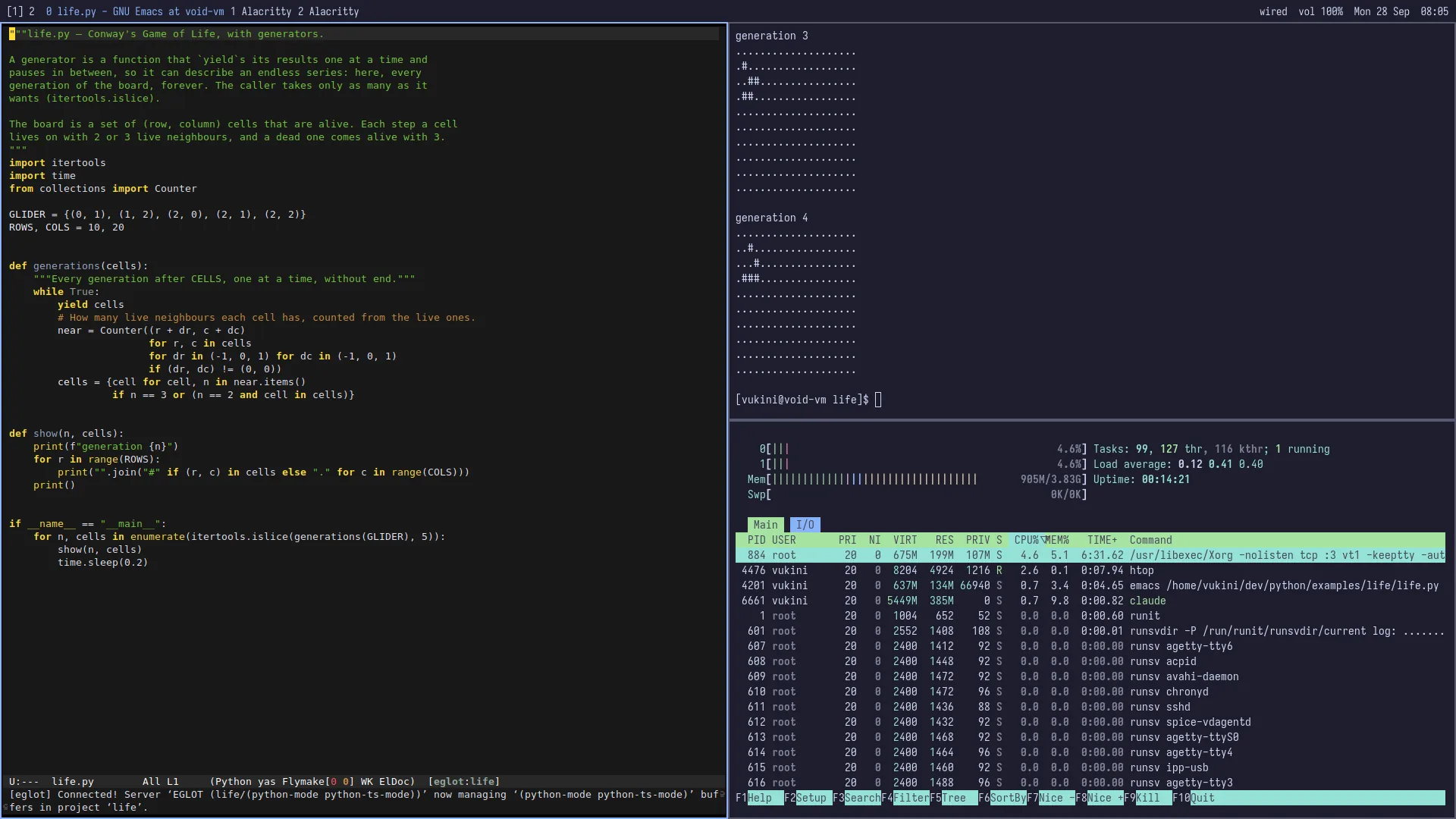
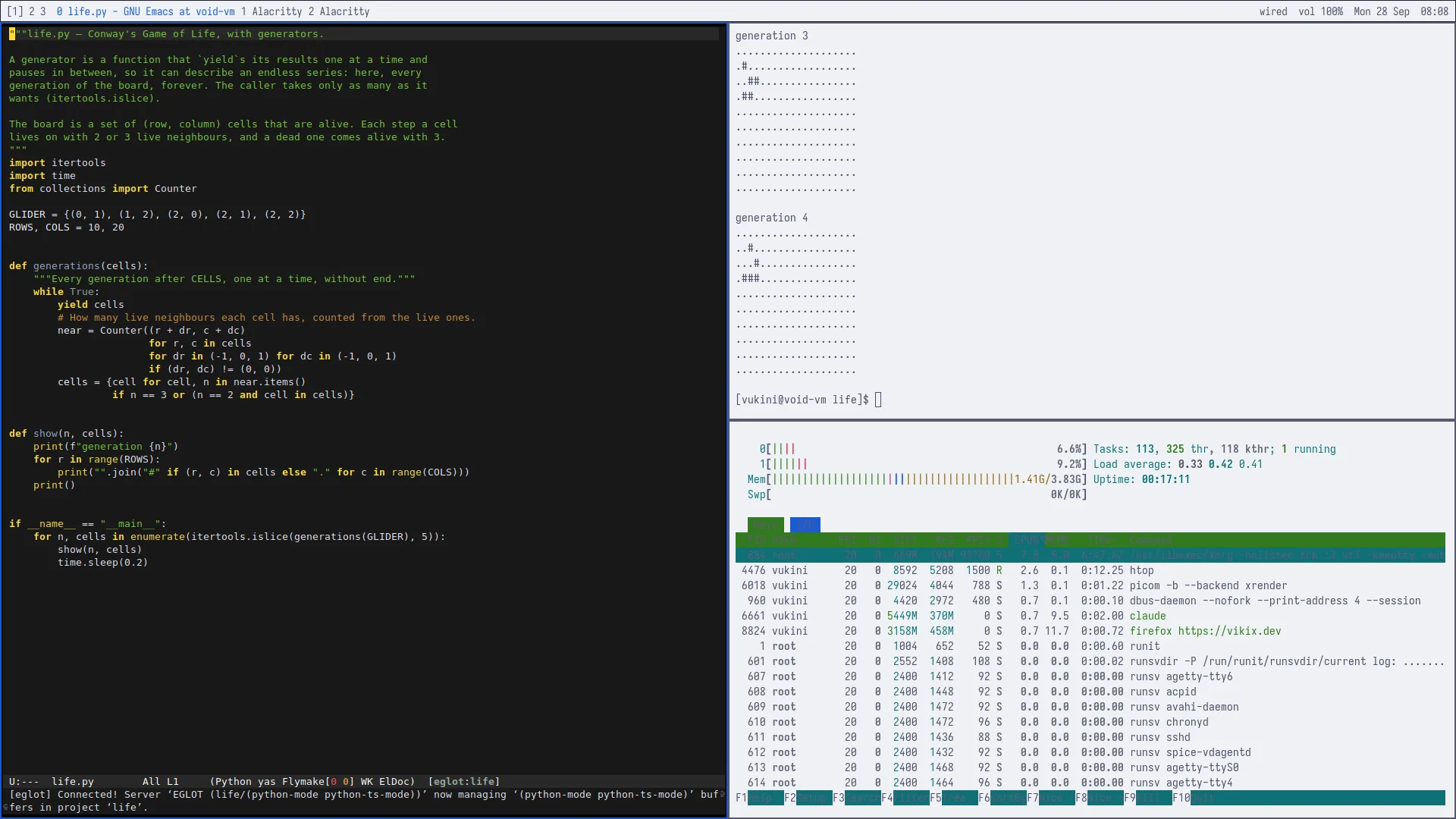
Keep tasks, decisions, handoffs and next steps with the work. Return to the context you need to continue.
Arrange windows side by side, keep projects on their own workspaces and reach everyday tools from the keyboard.
Choose your tools, colours and wallpaper. Shape a workspace you want to spend time in.
Make room for a little wonder



Is this for you?
If you build things independently and want to work with AI while deepening your own understanding, Vikix is made with you in mind.
You can build great things on Windows, macOS or another Linux desktop. The reason to try Vikix is the way it brings the work together: AI workers, project continuity, a desktop you can inspect and tools you can change.
It is a small, actively developed project. Expect a learning curve, a keyboard-focused workflow and some time in the terminal. The guides help you begin; curiosity will take you further.
Underneath: Void Linux and StumpWM. Explore the technical foundations ↗
On the horizon
In development
A cloud-based solution is being worked on. The ambition is to take this way of working further.
Today, Vikix is a desktop you install and run on your own computer. The cloud direction is future work, not a service available from this site.
Follow the conversation ↗Start with curiosity
Try Vikix in a virtual machine—a computer inside a window—or on a spare machine. Get a feel for the workflow before changing your everyday setup.
See real screenshots, explore the guides and decide whether this way of working suits you.
Vikix installs on glibc Void Linux. The installation guide walks you through the base system and the desktop. Installing an operating system can erase the selected disk; use a virtual machine or spare machine for your first look.
Follow the installation guide ↗Read the installer, then run these commands in your new Void system. The installer checks the system, downloads Vikix and runs its setup.
xbps-fetch -o vikix-install https://vikix.dev/install
bash vikix-install
sudo reboot
A few practical questions
Yes. Vikix is free and open source under the MIT licence. You choose your AI setup: a paid provider, models on your own machine, or a compatible private endpoint. Provider fees, hardware and hosting costs depend on that choice.
You need a willingness to learn. The installation involves setting up Linux, and the workflow uses the keyboard and terminal. Menus and guides cover everyday tasks, and you can explore the code when you are ready.
You can. Vikix adds a shared place for workers, tasks, questions, checks and handoffs, plus a desktop that can explain its own behaviour. Its value is in making those pieces work together throughout your day.
Omarchy inspired the idea of a complete, opinionated development desktop. Vikix follows its own direction: coordinating independent work, helping you inspect and understand the system, and making the workspace yours. Read about its foundations.
You choose when to use AI and how much freedom to give it. The Office shows progress and questions, and keeps review attached to the work. Read the agents guide for the permissions and limits of each setup.
Built from a real need
I’m The Vikid Truth. I build Vikix for my own work: a place to develop ideas, work with AI and keep learning. I share it so you can shape a workshop of your own.